Blog
FASAH System Guide (2026): Saudi Customs Login, Registration, Tracking & 24-Hour Clearance

I’ve spent decades in international trade, moving everything from bulk commodities to high-value electronics across borders. One of the biggest headaches back in the day was customs delays—shipments sitting in ports for weeks, racking up demurrage fees and killing cash flow. But in Saudi Arabia, the FASAH system changed all that. It’s a game-changer for importers and exporters, turning what used to be a bureaucratic nightmare into a streamlined, digital process.

FASAH for Saudi Customs
If you’re dealing with Saudi ports like Jeddah Islamic Port or King Abdulaziz Port in Dammam, mastering the FASAH platform is non-negotiable. It integrates over 25 government entities into one single window, slashing clearance times dramatically. According to reports from the World Customs Organization, programs built around FASAH have pushed 80% of declarations through in under 48 hours—down from averages of eight days or more. That’s real money saved.
In this comprehensive guide, I’ll walk you through everything you need to know about the FASAH system: what it is, why it matters, how to get started, and pro tips from years of hands-on experience. By the end, you’ll be equipped to navigate fast-track customs clearance like a seasoned pro.
What Is the FASAH System and Why It Matters for Your Trade
The FASAH platform (Fully Automated System for Customs Data Acquisition and Handling) is Saudi Arabia’s national single window for import and export operations. Managed by the Zakat, Tax and Customs Authority (ZATCA) and operated through Tabadul, it’s an integrated electronic portal that connects customs with agencies like the Saudi Food and Drug Authority (SFDA), Ministry of Commerce, and port authorities.
At its core, FASAH eliminates paper-based chaos by allowing electronic submission of manifests, declarations, and supporting documents. It’s mandatory for all commercial imports and exports, and it’s directly tied to Vision 2030 goals of making Saudi Arabia a global logistics hub.
Key Benefits of Using the FASAH Platform
Why bother? Because skipping or mishandling FASAH can lead to rejected shipments, fines, or forced re-exports. Here’s what it delivers:
- Faster Clearance: Pre-arrival submissions mean goods can clear in hours, not days. ZATCA’s 24-hour clearance initiative targets most containers for release within a day.
- Reduced Costs: Less paperwork, fewer physical visits, and lower demurrage/storage fees.
- Real-Time Tracking: Monitor shipments from origin to delivery via the MASAR service.
- Enhanced Compliance: Automatic checks against regulations, including integrations with systems like SABER for product conformity.
- Transparency and Security: Secure data exchange builds investor confidence and minimizes fraud risks.
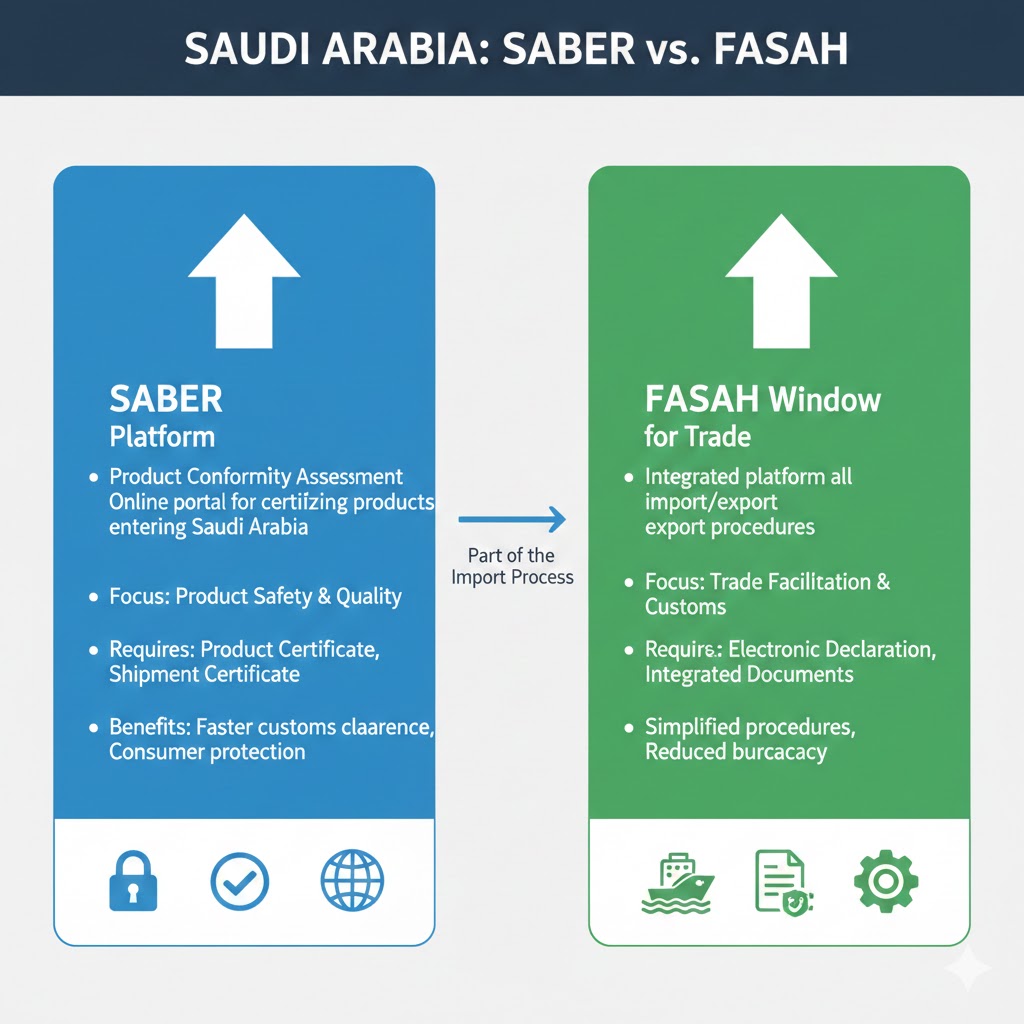
Saudi Arabia SABER vs. FASAH
From my experience, businesses that fully embrace FASAH see 30-50% improvements in supply chain efficiency. One client I worked with cut port dwell time from 10 days to under 2, saving thousands per container.
For more on related compliance tools, check out our guide on SABER Certification Secrets 2026: Step-by-Step for Saudi Construction Materials Suppliers—FASAH and SABER work hand-in-hand.
Getting Started: Registering on the FASAH Platform
You can’t clear goods without a FASAH account. Registration is straightforward but requires accurate details—errors here cause downstream delays.

FASAH Saudi Customs
Step-by-Step Registration Process
- Visit the Portal: Go to fasah.sa and select “Register” (available in English).
- Choose Your User Type: Options include Importer, Exporter, Customs Broker, Freight Forwarder, or Carrier.
- Enter Entity Details: Provide your Commercial Registration (CR) number, VAT certificate, and authorized person’s national ID.
- Upload Supporting Documents: Scanned copies of CR, ID, and any relevant licenses.
- Verify and Activate: Receive a confirmation code via SMS/email. Complete two-factor authentication.
- Obtain Importer/Exporter Code: Once approved (usually within 24-48 hours), you’ll get your unique code for declarations.
Pro Tip: Use a dedicated email and phone for FASAH notifications. I’ve seen accounts get locked due to missed verifications.
New in recent updates: Individuals can now register for small-scale personal imports, broadening access.
Seamless Bayan & Manifest Integration: The Electronic Backbone
Pre-arrival customs clearance in Saudi Arabia relies on direct automated data-sharing between shipping lines, international freight forwarders, and ZATCA via the FASAH infrastructure.
1. Electronic Manifest (e-Manifest) Submission
Carriers transmit ship manifests electronically directly into the FASAH Bayan system prior to vessel arrival. This initiates risk profiling and cargo verification days before docking at Saudi ports.
2. e-BL & Sea Waybill Alignment
Paper Bills of Lading are obsolete. FASAH ingests electronic Bills of Lading (e-BL) and Sea Waybills directly from maritime databases, matching consignee CR numbers automatically to prevent identity mismatches.
3. Forwarder API Gateway & Delivery Orders
International freight forwarders connect through Host-to-Host (H2H) APIs to issue digital Delivery Orders (DO), enabling seamless clearance handoffs without physical desk visits.
Pro Tip for Traders: Ensure your freight forwarder links your Commercial Registration (CR) number directly inside the e-Manifest. Any discrepancy between the Bayan record and your FASAH account will freeze automated pre-clearance.
Navigating Import Clearance Through FASAH
Imports are where FASAH shines brightest. The goal is pre-clearance: submit everything before the ship docks.
Required Documents for Import Declarations
Always prepare these in advance:
- Commercial Invoice
- Bill of Lading (or Air Waybill)
- Certificate of Origin
- Packing List
- SABER Shipment Certificate of Conformity (SCoC) for regulated goods
- Any restricted item permits (e.g., from SFDA)

FASAH
Step-by-Step Import Process on FASAH
- Log In and Create Declaration: At least 48 hours before arrival, start a new import declaration.
- Enter Shipment Details: HS codes, values, quantities—accuracy is critical for duty calculation.
- Upload Documents: FASAH accepts digital uploads; integrations pull data from connected systems.
- Submit for Review: Automated risk assessment flags low-risk shipments for green channel (fast release).
- Pay Duties and Fees: Via integrated Fasah Pay—electronic and instant.
- Track Status: Use MASAR for real-time updates. High-risk? Prepare for inspection.
- Final Release: Delivery order issued; goods move out.
For restricted goods, FASAH lets you track clearance letter balances—ensuring you don’t exceed quotas.
Step-by-Step FASAH Tracking: How to Track Your Cargo & Bayan Declaration
Real-time shipment monitoring using the MASAR tracking module
Tracking your shipment through the Saudi customs pipeline is streamlined via FASAH’s integrated MASAR (مسار) tracking service. Importers, exporters, and brokers can trace physical cargo movement, verify Bayan status, and monitor port clearance milestones in real-time.
How to Track Your Shipment on FASAH (MASAR):
- Log in to your FASAH Account at fasah.sa.
- Navigate to the MASAR Tracking Service tab on your operational dashboard.
- Enter your primary tracking identifier:
- Customs Declaration / Bayan Number (رقم البيان)
- Bill of Lading (B/L) or Air Waybill (AWB) number
- Container Number (for sea freight)
- Click “Inquire / Search” to display the full status timeline.
Understanding FASAH Tracking Statuses:
| Status Indicator | Stage Meaning | Required Action |
|---|---|---|
| Draft / Submitted | Manifest received; Bayan draft initiated. | Upload supporting documents & invoices. |
| Pending Duty Payment | Customs duty and VAT assessed by ZATCA. | Pay bill via Fasah Pay (SADAD Biller 133). |
| Selected for Inspection (Red) | Cargo flagged for physical x-ray or lab test. | Authorize broker for port container presentation. |
| Cleared / Gate Pass Issued | Final custom release & E-Gate pass ready. | Book TAS pickup slot for port exit. |
💡
Pro Tip: Enable SMS and WhatsApp push notifications inside your FASAH profile settings to receive automated instant alerts whenever your Bayan status transitions (e.g., from Duty Assessment to Port Release).
Final Stage Clearance: Electronic Gate Pass & TAS Logistics Integration
Clearing duty payments is only half the battle. FASAH digitizes the final physical extraction of cargo from Saudi sea, air, and land ports, eliminating port congestion through fully automated gate passes and scheduled pickup slots.
1. Automated Delivery Order (DO) Release
Once customs duties and port charges are settled electronically via Fasah Pay, the terminal operator automatically generates and releases the digital Delivery Order directly within the portal.
2. Truck Appointment System (TAS)
Freight forwarders or transport companies must book a specific pickup window through the FASAH Truck Appointment System (TAS). Transport trucks are allocated specific arrival gates to minimize port dwell time.
3. E-Gate Pass Generation
Upon truck verification at the port entrance, an instant Electronic Gate Pass (E-Gate Pass) with a barcode/QR code is issued to the driver. Port security scans the pass for automated, paperless exit release.
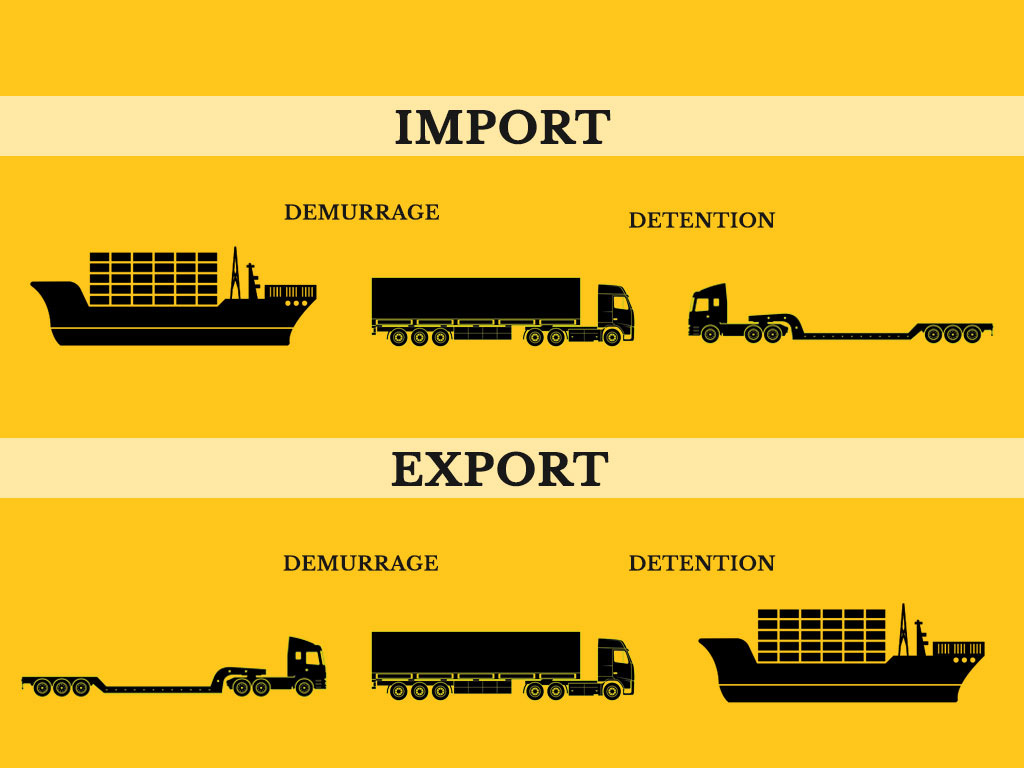
Cost-Saving Insight: Pre-booking your TAS pickup slot immediately upon cargo duty release ensures your container leaves the terminal within the free storage grace period—saving hundreds of dollars in port demurrage and storage penalties.
Critical Compliance Alert: HS Code Errors & ZATCA Automated Penalties
Selecting the wrong HS Code or misdeclaring item values in FASAH is no longer just an administrative mistake—it triggers immediate automated compliance actions and severe financial penalties directly from ZATCA.
1. Automated Tariff Auditing
FASAH automatically cross-references your selected HS Code against historical market valuations and SABER product data. Mismatches instantly shift your declaration from the “Green Channel” to the high-friction “Red Channel” for manual inspection.
2. Fines for Tariff Evasion
Misclassifying goods to lower customs duty rates is treated as customs evasion. ZATCA levies automatic fines ranging from 100% to 300% of the unpaid duty amount, alongside back-taxes on adjusted valuations.
3. Commercial Account Suspension
Repeated HS Code discrepancies or under-invoicing flags your Importer CR in the national system, leading to temporary lockouts from FASAH and delayed customs clearances for future shipments.
How to Avoid Fines: Always consult ZATCA’s Integrated Tariff Tool inside FASAH prior to submission. If you are uncertain about a complex product, request an official Binding Tariff Information (BTI) ruling from Saudi Customs before shipping.
Export Clearance: Streamlining Outbound Shipments
Exports are simpler but still require FASAH for manifests and declarations.
Key Steps for Exports
- Register Export Declaration: Post-shipment or pre if needed.
- Submit Manifest: Carriers upload via host-to-host integration for efficiency.
- Compliance Checks: Ensure no export bans apply.
- Electronic Approval: Faster than imports, often same-day.
- Tracking and Proof: Generate export proofs for refunds or incentives.
Recent changes: Zero fees on most export customs services, boosting competitiveness.
Advanced Features and Integrations
FASAH isn’t just basic declarations—it’s packed with tools.
Essential Services Within FASAH
- Authorization for Brokers: Delegate clearance electronically.
- Truck Appointments: Book slots at ports to avoid queues.
- Host-to-Host Integration: For high-volume users, direct API links reduce manual entry.
- Inquiry Tools: Check refunds, duty exclusions, or declaration status.
Integration with SABER is crucial: No valid SCoC? Shipment rejected at port.
Fasah Pay: Instant Financial Settlement for Duties & Taxes
Financial bottlenecks used to be a major cause of port delays. Fasah Pay solves this by consolidating all customs duties, VAT, terminal handling fees, and administrative charges into a single, unified digital invoicing portal.
1. Native SADAD Payment Integration
Pay directly via Saudi Arabia’s national SADAD bill payment system using your company’s online banking portal (Biller Code: 133 for ZATCA). Payments reflect instantly 24/7 without manual verification delays.
2. Corporate Cards & Electronic Guarantees
Fasah Pay supports corporate Visa, Mastercard, and mada cards, alongside electronic bank guarantees. This allows businesses to settle duties instantly and unlock immediate release orders for high-priority shipments.
3. Automated Invoice Reconciliation
Once payment is received, Fasah Pay automatically updates your declaration status to “Cleared” and triggers the instant generation of your Electronic Delivery Order and ZATCA tax invoice.
Pro Tip: Link your corporate SADAD account or pre-funded Fasah Pay wallet to enable auto-debit for routine import duties. This eliminates weekend payment delays and keeps your green-channel shipments moving uninterrupted.
Online CoC & Reference Laboratory Testing Integration
For regulated and sensitive shipments—such as food products, pharmaceuticals, cosmetics, and industrial chemicals—FASAH acts as a central hub directly connecting ZATCA with partner agencies like the Saudi Food and Drug Authority (SFDA) and accredited testing laboratories.
1. Automatic SFDA & SASO Clearance Routing
When an import declaration contains regulated HS codes, FASAH automatically routes product profiles to SFDA’s Ghadd system or SASO’s SABER platform to verify active Certificates of Conformity (CoC) before vessel arrival.
2. Automated Lab Sampling & Chain of Custody
If physical testing is flagged, port inspectors draw samples and log them directly into FASAH’s laboratory tracking module. Samples are dispatched to accredited reference labs with automated digital tracking.
3. Real-Time Lab Result Sync
Lab test certificates and compliance reports are uploaded digitally into FASAH by authorized laboratories. Upon approval, customs holds are instantly released without requiring manual physical paperwork submission.
Trader Best Practice: Ensure product registration numbers and batch details match your SFDA/SABER approvals word-for-word. Mismatches during laboratory sampling in FASAH will require re-testing and incur costly port storage fees.
Comparison: Traditional vs. FASAH Clearance
| Aspect | Traditional Process | FASAH Process |
|---|---|---|
| Document Submission | Paper-based, multiple agencies | Digital single window |
| Clearance Time | 5-10+ days | Often <24-48 hours |
| Tracking | Manual calls/emails | Real-time MASAR dashboard |
| Cost Impact | High demurrage | Minimized fees |
| Error Risk | High (manual entry) | Low (automated validations) |
Need Help? FASAH & ZATCA Customer Support Hub
Official helpdesk channels, emergency hotlines, and support hours
Pro Tip: When contacting support regarding delayed declarations or hold flags, always have your Commercial Registration (CR) Number and FASAH Bayan ID ready for faster resolution.
Official Portal Access
FASAH Saudi Customs Portal Login & Direct Services
🔑 How to Log In to FASAH (Step-by-Step Guide)
- Go to the official FASAH website: fasah.sa.
- Select “Login” from the top navigation bar (switch language to English if needed).
- Choose your primary authentication method:
- National Single Sign-On (Nafath): For Saudi-registered entities and residents.
- FASAH Credentials: Enter your registered Username/CR Number and Password.
- Complete the Two-Factor Authentication (2FA) code sent via SMS to your registered mobile number.
- Select your active role (Importer, Exporter, Customs Broker, or Carrier) to access your dashboard.
Common Challenges and How to Overcome Them
Even with FASAH, issues arise. Here’s what I’ve seen most:
- Document Rejections: Fix: Double-check formats and completeness before upload.
- System Downtime: Rare, but have backups—use brokers for redundancy.
- Restricted Goods Delays: Pre-apply for permits via connected agencies.
- First-Time Errors: Start with small shipments to test your setup.
Actionable Advice: Partner with a verified customs broker early. They handle authorizations and troubleshoot faster.
For trade compliance risks, see our article on Trade-Based Money Laundering: Over-Invoicing and Under-Invoicing Secrets That Could Cost You Millions.
Operational Deep-Dive: Document Formatting, File Limits & Translation Pitfalls
A primary cause of unexpected declaration rejections in FASAH is non-compliance with file uploads. Technical verification rules strictly enforce file types, resolution thresholds, and language standards.
1. Accepted Formats & Strict Size Limits
FASAH strictly accepts PDF, JPG, and PNG formats. Individual files must not exceed 5 MB, and total combined uploads per declaration are capped at 25 MB. Multi-page commercial invoices must be merged into a single clear PDF.
2. Arabic Translation & Bilingual Invoicing
ZATCA requires core fields on Commercial Invoices—such as product descriptions, line item totals, and terms of delivery—to be bilingual (Arabic/English) or accompanied by an officially certified Arabic translation.
3. OCR & Legibility Standards
Scanned PDFs must be high-resolution (minimum 300 DPI) without watermarks or skewed pages. FASAH’s automated OCR engines parse invoice values directly; blurry text triggers immediate manual review flags.
Actionable Pro Tip: Always verify that line item values on your Commercial Invoice match your Packing List down to the cent prior to PDF compression. Discrepancies between digital attachments will delay green-channel processing.
Best Practices for Fast-Track Success
From years in the trenches:
- Train your team on FASAH—it’s user-friendly but nuances matter.
- Use advance submissions religiously.
- Monitor updates via ZATCA announcements.
- Leverage AEO status if eligible for priority treatment.
- Audit declarations quarterly to catch patterns.
Businesses following these see consistent sub-24-hour clearances.
AEO + FASAH Integration: Achieving Sub-12-Hour Green Channel Clearances
While standard FASAH automation reduces customs dwell time to under 24–48 hours, pairing your FASAH account with ZATCA’s Authorized Economic Operator (AEO) certification unlocks the ultimate fast-track tier: sub-12-hour automated release.
1. 100% Guaranteed Green Channel Routing
AEO-certified traders enjoy minimal physical inspection rates in FASAH. Declarations bypass standard risk-queues, enabling instant clearance algorithms to release goods automatically upon manifest confirmation.
2. Deferred Duty Payments & Financial Flexibility
AEO status integrated with Fasah Pay allows importers to clear containers immediately without upfront duty settlement. Duties are post-paid via consolidated monthly invoices, maximizing cash flow efficiency.
3. Priority Processing & On-Site Inspections
If physical testing is legally mandatory, AEO traders receive dedicated priority inspection lanes at Saudi ports or can request customs inspections directly at their own company warehouses.
Strategic Value: High-volume B2B traders operating on Tendify.net who qualify for Saudi AEO certification can position themselves as preferred suppliers to major GCC enterprise buyers by offering guaranteed, rapid supply chain fulfillment times.
❓
Frequently Asked Questions (FAQ) — FASAH Saudi Customs
How do I log in to the FASAH portal?
To log in, visit fasah.sa and click on “Login” in the top navigation bar. You can log in using your registered FASAH username and password or authenticate through Saudi Arabia’s National Single Sign-On (Nafath) system. Enter your 2FA OTP code sent via SMS to open your dashboard.
What is the FASAH customer care contact number?
Inside Saudi Arabia, call the toll-free ZATCA/FASAH support hotline at 19933. For international traders calling from outside KSA, contact +966 11 204 8999. Official email support is available at support@fasah.sa or via Twitter/X at @Zatca_Care.
How can I track my shipment using FASAH Bayan?
Access the MASAR (مسار) tracking module inside your FASAH dashboard at fasah.sa. Enter your Bayan Declaration Number, Bill of Lading (B/L), or Container Number to view real-time clearance status, customs duty payment requirements, and gate pass issuance.
What documents are required for FASAH registration?
To register a commercial entity on FASAH, you need: a valid Commercial Registration (CR) number, VAT Certificate, authorized person’s National ID or Iqama, scanned copies of relevant operational licenses, and contact details for SMS authentication.